
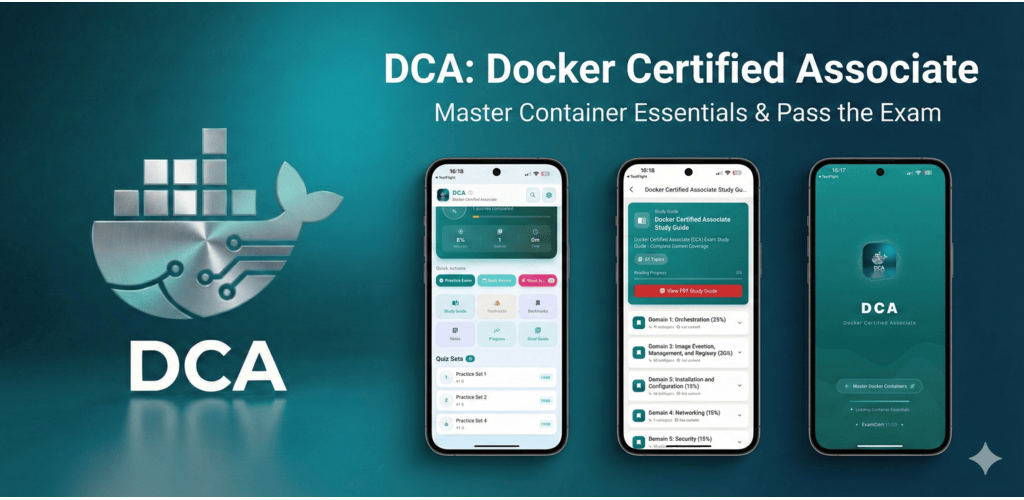
What does the Docker Certified Associate exam cover?
The Docker Certified Associate (DCA) exam covers Docker image management, container orchestration with Docker Swarm, networking, storage, security, and Docker Enterprise features. It validates skills in deploying, configuring, and troubleshooting containerized applications. The exam is 90 minutes with 55 multiple-choice and discrete option questions and costs $195 USD through Mirantis.
The Docker Certified Associate (DCA) certification validates hands-on Docker expertise for developers and DevOps engineers working with containerized applications. It covers the full Docker ecosystem from basic image building through Docker Swarm orchestration, enterprise registry management, and container security.
With containers now fundamental to modern application deployment, Docker skills are among the most sought-after in DevOps and cloud engineering roles. The DCA demonstrates verified Docker expertise to employers. The exam costs $195 USD and is administered by Mirantis (which acquired Docker Enterprise). Certification is valid for 2 years.
Exam Overview
| Detail | Information |
|---|---|
| Certification | Docker Certified Associate (DCA) |
| Provider | Mirantis |
| Number of Questions | 55 |
| Time Limit | 90 minutes |
| Passing Score | Not published (approximately 65-70%) |
| Cost | $195 USD |
| Prerequisites | 6-12 months Docker experience recommended |
| Validity | 2 years |
The exam covers six domains:
- Orchestration (25%)
- Image creation, management, and registry (20%)
- Installation and configuration (15%)
- Networking (15%)
- Security (15%)
- Storage and volumes (10%)
Domain 1: Orchestration (25%)
Docker Swarm
Docker Swarm is Docker's native orchestration system for multi-host deployments:
Swarm initialization and management:
# Initialize swarm (on manager node)
docker swarm init --advertise-addr <manager-ip>

# Get worker join token
docker swarm join-token worker

# Join worker to swarm
docker swarm join --token <token> <manager-ip>:2377

# List swarm nodes
docker node ls

# Inspect node
docker node inspect <node-id>

# Promote worker to manager
docker node promote <node-id>
Services in Docker Swarm:
# Create a service
docker service create --name web --replicas 3 -p 80:80 nginx:latest

# Scale a service
docker service scale web=5

# Update service (rolling update)
docker service update --image nginx:1.25 --update-parallelism 2 --update-delay 10s web

# Inspect service
docker service inspect --pretty web

# View service tasks (containers)
docker service ps web
Swarm vs. Kubernetes
| Aspect | Docker Swarm | Kubernetes |
|---|---|---|
| Complexity | Lower; simpler to set up | Higher; more components |
| Features | Basic orchestration | Comprehensive orchestration ecosystem |
| Learning curve | Gentler | Steeper |
| Community | Smaller, declining | Massive, rapidly growing |
| Production use | Small-medium deployments | Enterprise-scale deployments |
| CNCF certification | No | Yes (CKA/CKAD/CKS) |
Domain 2: Image Creation, Management, and Registry (20%)
Dockerfile Best Practices
# Use specific base image version (not :latest)
FROM ubuntu:22.04

# Group RUN commands to reduce layers
RUN apt-get update && \
    apt-get install -y --no-install-recommends \
    nginx=1.22.0-1ubuntu3 && \
    rm -rf /var/lib/apt/lists/*

# Use COPY instead of ADD (more predictable)
COPY app/ /var/www/html/

# Set non-root user
RUN useradd -r -u 1001 appuser
USER appuser

# Use ENTRYPOINT for the main command, CMD for default args
ENTRYPOINT ["nginx"]
CMD ["-g", "daemon off;"]

# Document exposed ports
EXPOSE 80

# Add metadata
LABEL maintainer="team@company.com" version="1.0"
Multi-stage builds reduce final image size:
# Build stage
FROM node:18 AS builder
WORKDIR /app
COPY package*.json ./
RUN npm install
COPY . .
RUN npm run build

# Production stage (only the artifacts needed)
FROM nginx:alpine
COPY --from=builder /app/dist /usr/share/nginx/html
EXPOSE 80
CMD ["nginx", "-g", "daemon off;"]
Image Layer Management
# Build and tag image
docker build -t myapp:1.0 .

# Tag for registry
docker tag myapp:1.0 registry.company.com/myapp:1.0

# Push to registry
docker push registry.company.com/myapp:1.0

# Pull from registry
docker pull registry.company.com/myapp:1.0

# Inspect image layers
docker history myapp:1.0

# Save/load image archives
docker save -o myapp.tar myapp:1.0
docker load -i myapp.tar

# Remove dangling images
docker image prune

# Remove all unused images
docker image prune -a
Domain 3: Installation and Configuration (15%)
Docker Engine Installation
# Ubuntu installation
apt-get update
apt-get install -y ca-certificates curl gnupg
install -m 0755 -d /etc/apt/keyrings
curl -fsSL https://download.docker.com/linux/ubuntu/gpg | gpg --dearmor -o /etc/apt/keyrings/docker.gpg
chmod a+r /etc/apt/keyrings/docker.gpg
apt-get install -y docker-ce docker-ce-cli containerd.io docker-buildx-plugin docker-compose-plugin

# Add user to docker group (to run without sudo)
usermod -aG docker $USER

# Enable and start Docker
systemctl enable docker
systemctl start docker
Docker Daemon Configuration
/etc/docker/daemon.json configures the Docker daemon:
{
  "log-driver": "json-file",
  "log-opts": {
    "max-size": "10m",
    "max-file": "3"
  },
  "storage-driver": "overlay2",
  "data-root": "/var/lib/docker",
  "insecure-registries": [],
  "tls": true,
  "tlscacert": "/etc/docker/ca.pem",
  "tlscert": "/etc/docker/server-cert.pem",
  "tlskey": "/etc/docker/server-key.pem"
}
Domain 4: Networking (15%)
Docker Network Drivers
| Driver | Description | Use Case |
|---|---|---|
| bridge | Default; isolated virtual network on host | Single-host container communication |
| host | Container shares host network stack | Maximum performance; no network isolation |
| overlay | Multi-host networking for swarms | Docker Swarm service communication |
| macvlan | Container gets MAC address on physical network | Legacy applications requiring direct network access |
| none | No networking | Fully isolated containers |
Container DNS
Docker's embedded DNS server resolves container names within a user-defined bridge network:
# Create user-defined network
docker network create myapp-network

# Connect containers to same network (they can communicate by name)
docker run -d --name db --network myapp-network postgres:15
docker run -d --name web --network myapp-network -p 80:80 nginx

# Inside the web container, can connect to db:5432
Domain 5: Security (15%)
Docker Security Features
Content Trust (DCT): Cryptographically signing and verifying Docker images:
# Enable Docker Content Trust
export DOCKER_CONTENT_TRUST=1

# With DCT enabled, push signs the image
docker push myregistry/myapp:1.0

# Pull verifies signature
docker pull myregistry/myapp:1.0
Secrets in Docker Swarm:
# Create a secret from file
echo "my-database-password" | docker secret create db_password -

# Create a service with access to the secret
docker service create --name myapp --secret db_password myapp:1.0

# Secret is available at /run/secrets/db_password in the container
Container capabilities:
# Drop all capabilities and add only what's needed
docker run --cap-drop=ALL --cap-add=NET_BIND_SERVICE nginx

# Run in read-only mode
docker run --read-only nginx

# Limit resources
docker run --memory=512m --cpus=0.5 myapp
Domain 6: Storage and Volumes (10%)
Docker Storage Options
| Storage Type | Description | Use Case |
|---|---|---|
| Volumes | Managed by Docker, stored in Docker area | Preferred for persistent data |
| Bind mounts | Mount host directory into container | Development; config file injection |
| tmpfs | In-memory storage; not persisted | Temporary files; sensitive data |
Volume management:
# Create named volume
docker volume create mydata

# Run container with volume
docker run -v mydata:/var/lib/postgresql/data postgres:15

# Inspect volume
docker volume inspect mydata

# Remove unused volumes
docker volume prune

# Backup volume (copy data to tar archive)
docker run --rm -v mydata:/data -v $(pwd):/backup alpine tar cvf /backup/mydata.tar /data
Frequently Asked Questions
Is Docker still worth learning with Kubernetes being so dominant? Yes, Docker knowledge remains highly valuable. Even in Kubernetes environments, Docker is used for building and managing container images, and the underlying container concepts are identical. Most Kubernetes practitioners also use Docker in local development. The DCA specifically validates Docker expertise that complements CKA/CKAD credentials for complete container platform competency.
How does DCA compare to Kubernetes certifications for job prospects? Kubernetes certifications (CKA, CKAD) are more widely demanded for production orchestration roles because Kubernetes dominates container orchestration at scale. DCA is more relevant for organizations using Docker Swarm or Docker Enterprise (Mirantis Kubernetes Engine). For most DevOps engineering career paths, CKA provides more value than DCA, but DCA is valuable for Docker-specific expertise.
What are the best resources for DCA preparation? The official Docker documentation, Bret Fisher's "Docker Mastery" course on Udemy, and hands-on practice with Docker Desktop and Docker Swarm cover most exam content. Mirantis provides official training courses. Practice with multi-container applications using Docker Compose and Docker Swarm, including networking, secrets, and rolling updates, is essential for the orchestration domain.
References
- Mirantis. (2025). Docker Certified Associate Certification. https://training.mirantis.com/certifications/dca-certification-exam/
- Fisher, B. (2024). Docker Mastery: with Kubernetes and Swarm. Udemy course.
- Docker. (2025). Docker Documentation. https://docs.docker.com/
- Docker. (2025). Docker Security Best Practices. https://docs.docker.com/develop/security-best-practices/
- McKendrick, R. (2021). Docker Certified Associate (DCA) Exam Guide. Packt Publishing.
- Poulton, N. (2023). Docker Deep Dive. Independently published.
Frequently Asked Questions
What does the Docker Certified Associate exam cover?
The DCA covers Docker Swarm orchestration, image creation and registry management, installation and configuration, networking drivers, security including Content Trust and secrets, and storage volumes. The 90-minute exam has 55 questions and costs $195 USD.
Is Docker still worth learning with Kubernetes being so dominant?
Yes, Docker knowledge remains highly valuable. Even in Kubernetes environments, Docker is used for building container images and local development. The underlying container concepts are identical. DCA complements CKA/CKAD credentials for complete container platform competency.
How does DCA compare to Kubernetes certifications for job prospects?
Kubernetes certifications (CKA, CKAD) are more widely demanded for production orchestration roles since Kubernetes dominates container orchestration at scale. For most DevOps paths CKA provides more value, but DCA is valuable for Docker-specific expertise especially in Docker Enterprise or Swarm environments.